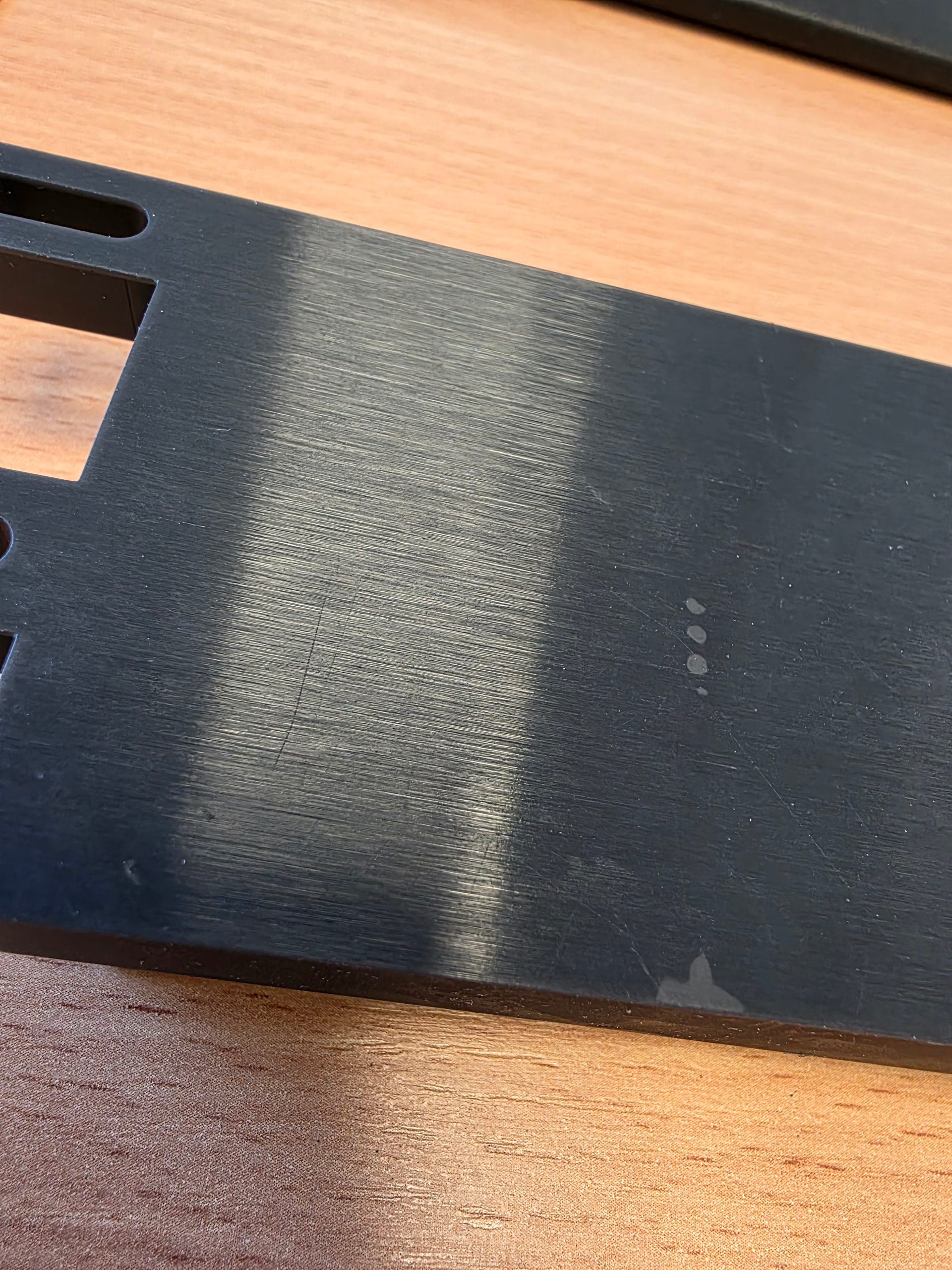
Hello
I need some help fixing this issue. My workshop is having trouble with the Tough 2000 v2 resin. We often prints our part directly on the print plate because we can minimized the needs for support and we have also found the the diameter of holes are more precise when printing this way. We have used ESD, Tough 2000 v1.1 , Ridgid 10k, black v5 and they have all been fine but the new Tough 2000 v2 is seperating on some of the early layers. As you can see in the pictures it migth stem from the vacuum created by bigger parts because we dont see it when printing small parts. Is there anyone that have seen this in tough 2000 v2 and have a fix. Im using defalult setings from Preform.
You could try lowering the early lift speeds, maybe the early layer exposure too as there’s a bit of elephants foot
Hello. Delamination like this could be a few things that come to mind:
What’s the air temp where this is being printed (could be low viscosity from cold)? Have you checked the tank for foreign debris (prevents layer adhesion)? Does the print always lift/delaminate in this spot on the model? Could be a model error or print bed/plate out of calibration.
have you opened a support ticket with FL?
The workshop is quite warm these day. About 27 degree C.
The tank should be good from debree. It seems a bit random where it does it but often at the edges of my parts. I can try and calibrate the machine but our other resins are working fine so i just think the default settings for Tough 2000 v2 might be off.
I have not opened a ticket but i can try.
I will try that and see if it does anything. I know the default profile have some elephantfoot but i just wanted to fix this delamenation before dialing in the elephantfoot. Thank you.
1 Like