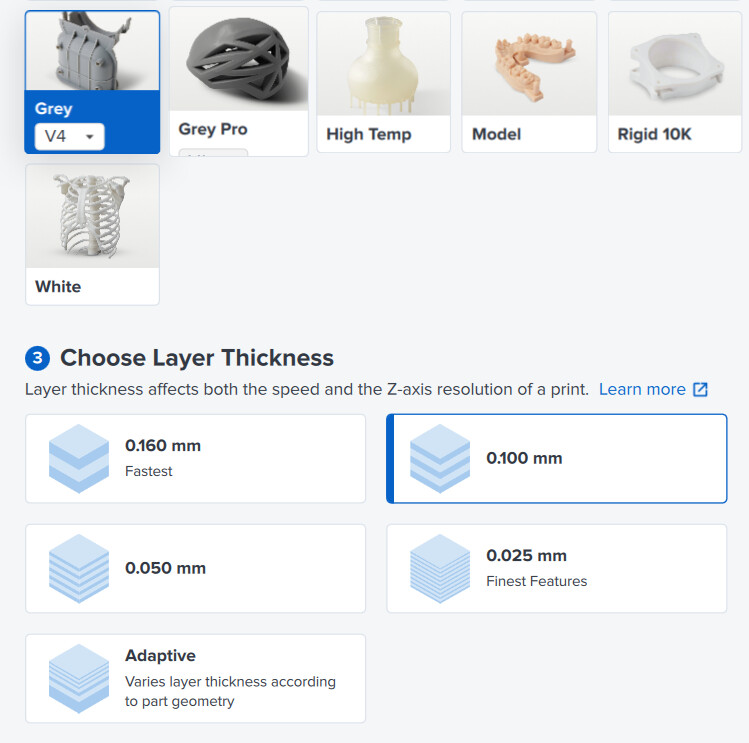
Just noticed with my most recent print a notification that V4 will be discontinued and replaced by V4.1 in 2026.
It appears that V4.1 only allows printing with 0.100mm but V4 allows 0.160, 0.100, 0.050, 0.025, and adaptive…
Why the move to a less versatile performing resin? The reason I like Grey V4 is because it’s a cheap workhorse and works well, and the color allows for very easy detail contrast.
It is not an oversite. Our team started validating the print settings for Grey v4.1 with the most frequently used layer height (100um). By the end Grey v4.1 should support the same heights Grey v4.0 does.
Currently the Teams roadmap is:
By May 1: Form 3 50um setting, Form 3L 100um setting
By June 1: Form 3 160um setting Form 3L 50um setting
By July 1: Form 3 25um setting, Form 3L 25um setting
Hey @RaudaScaleModel, when in PreForm, go to the job settings (where you choose the resin) and ensure that you have V4 selected in the drop-down on Grey Resin. You should then be able to change the layer height to 160.
Um, is this a 2026 roadmap? It’s June now, and still no 50um layer height for 3L. I thought this was supposed to be available in May. Our business is almost out of Grey v4 resin. We are actually refilling our old cartridges with Grey v4.1 just so we can continue printing!! Eventually the old cartridges will stop being recognized.
An updated roadmap would be greatly appreciated.
Thank you!
you can create your own print setting and change it to the .050mm setting while it may not be verified it can still work but may run into more failures until you dial everything in.
Thank you, Matt
I have not tried creating custom print settings. Can these be shared with others on our team? Could I just duplicate the settings for the Grey v4 resin, and use that?
Following up
I finally had to create and use a modified print setting, as we are down to our last functioning Grey v4.0 cartridge!
I duplicated the Grey v4.1 - 100um print settings and added all the values to match the v4.0 - 50um print settings. It seemed to accept the settings just fine, but when setting up my print, I noticed a few things:
Cupping does not display in the preview, nor does it indicate that there are cups in the mesh.
It allows me to position the model off of the left & right sides of the build platform.
No warnings about intersecting geometries.
These are worrisome issues on their own, compounded by the fact that I won’t know if the print will even be successful until tomorrow when it is completed.
I really hope this workaround works, but it is unsettling that I have to jump through these hoops in order to continue using this printer, particularly from a company that touts ease of use to its customers.
Is there an update as to when these settings will actually be validated? We use 50um layer height for 90% of our printing (the other 10% is 25um).