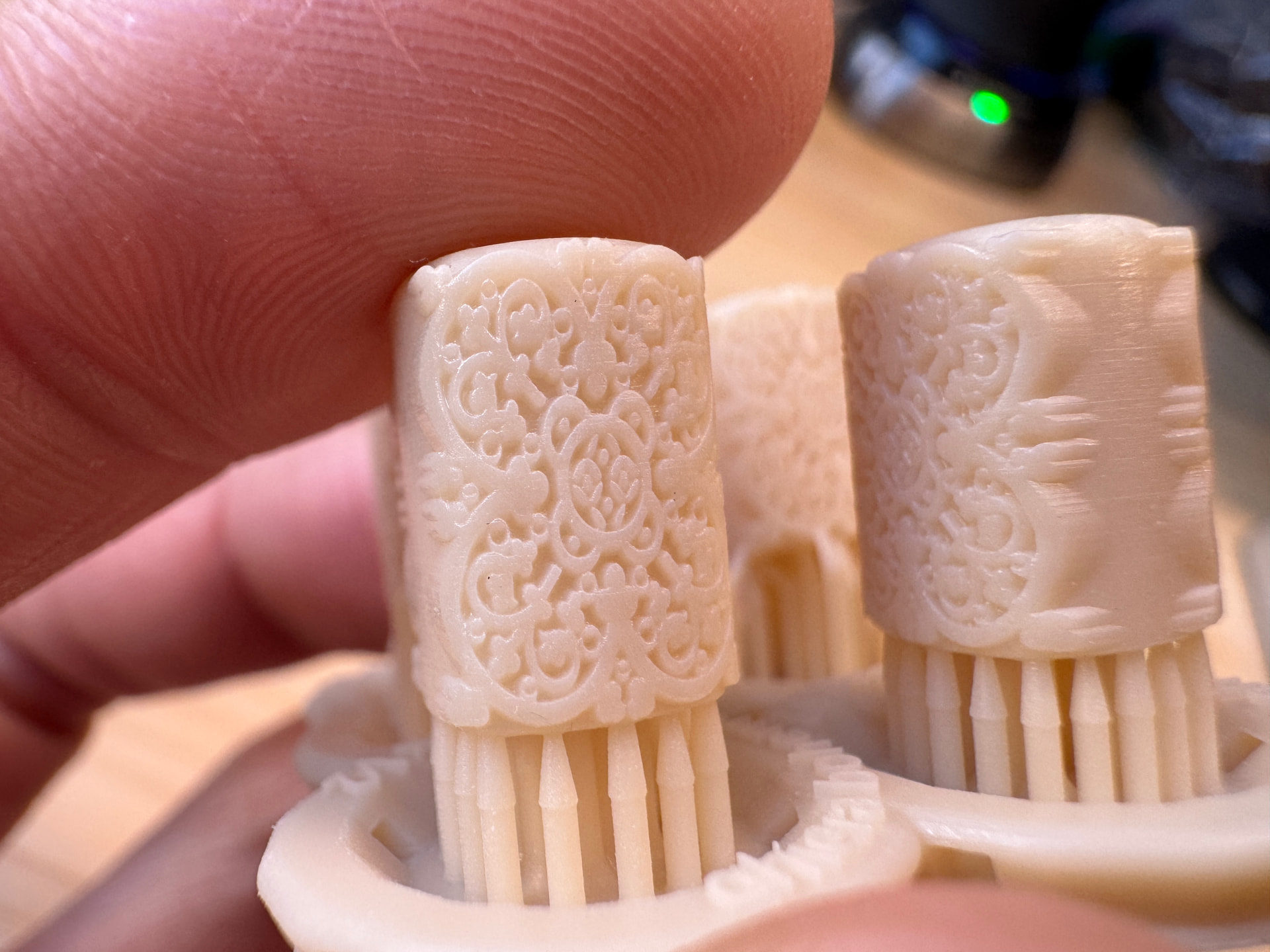
I am having trouble trying to get
details printed on a small part
Can anyone please suggest an
optimal orientation
Attached is a foto and the job
Thank you
Stefano
PS00243_25_bis.form (3.4 MB)
I am having trouble trying to get
details printed on a small part
Can anyone please suggest an
optimal orientation
Attached is a foto and the job
Thank you
Stefano
PS00243_25_bis.form (3.4 MB)
What is the scale of this object? Relative to the size of the supports this looks quite small which may be pushing the achievable resolution if you ran it at 0.1mm layer height. It also looks like the filigree detail still has resin in it, so I would try using a spray bottle to flush IPA into the small detail.
Short version - try a smaller layer height and cleaning the part SUPER well.
@FAST3D I agree with @barreax2 that it would help to use the lowest layer height. Also, it looks like you’re printing in White Resin. For a higher-resolution print, something like Model V3 (Form 3) or the Precision Model (Form 4) would give you better detail. Grey is a great option as well.
We’d be more than happy to help you through this challenge. Feel free to contact support, and we can do a deeper dive into any necessary troubleshooting.
Part size is in mm
I am printing with the Form 4
at 50 micron layers
But the part is still not well defined
even after cleaning the part SUPER
well
Thank for your reply
Stefano
new result after re-print and well cleaned
could the machine have setting o parameter problems?
This print has not been post UV cured yet!
Is that important?
Thanks
Hello @FAST3D It’s fine that the part isn’t cured for the photo here. Do you need to print in that resin specifically? Precision Model Resin will give you the best details, and it paints nicely. I’d be happy to try to print this for you in Precision if you’re interested in seeing what that looks like. I’ll just need the .form file.
White Resin is great for a lot of applications, but for fine details such as this, I wouldn’t recommend it.
Let me know if you would like me to print your model for you. I’m happy to help where I can.
Thank you
What color is the Precision Model resin?
I Will send the file shortly
Cordiali saluti
Saleri Stefano www.fast3d.it
I have a picture from our site to show the color of the Precision Model Resin. The photo is of dental models because they are the primary users of that specific resin, but it is used for detailed models all over.
Sorry about missing that. I’m currently printing with .25 layer height. It’s about a 2.5 hour print at that micron level. As soon as I get it washed, I’ll get a photo for you.
Hi @FAST3D Here are the results from printing your file, just as it was.
Thanks Jess
What material and what printer did you use, and what cleaning procedure?
That was on a Form 4 using Precision Model Resin. I just washed for the standard 10 minutes and didn’t cure since I wasn’t using the parts for anything.
So it’s the material and 25 micron layer the trick!
If I use Black V5 at 25 micron layers will it work?
You can give it a go, but the details would be better with Grey over Black.
Hi Jess
Just wondering if you could ship me these parts
How much would it cost?
Thank you
I also was already running a few Precision Model prints on a Form 4 @ 25µm so I threw a few of these into my build platform in different orientations just out of curiosity.
Hi Fast,
I’d love to, however I’m in the US and I personally can’t ship to Italy. We do have a team that could help. Let me check with them and see what we can do. With that said, we’ll probably need to open a support case so that we can get that shipped to you.
Wow these look great!!