I don’t know if they’re abnormally dark, but they are definitely discolored in the middle. These tubes were replaced 2-3 months ago along with the entire frame assembly.


Hello, since the last post, you have been able to figure out what the error was. We are experiencing the same issue with our Fuse1. We have already replaced several components, just like you, and it continues to melt the layers.
Unfortunately I did not, this ended up requiring a full replacement. Nobody could figure out what the issue was. After my return process, Formlabs said they were going to tear apart my old printer and try to find out what the root cause was. If you’re working with support, maybe you could ask them to reference my case and see if there was ever a resolution.
the quartztubes being black is not an issue i´ve been told by support. They turn black after just a few prints and does not affect performance. I was told only to replace them when absolutely needed.
Hello, to continue with the thread in case anyone else is experiencing the same issue, we are still having problems with the entire bed melting. The components that have been replaced so far are:
- Air preheater
- RTD twice
- Control board
- Both the air intake and recirculation filters
And we do not see the problem being resolved in the short term.
@jmasterson Is this happening with multiple Build Chambers? Please check the pins on the connector and the port. Make sure all the pins match the guide under “Global Melting.”
Because you are still experiencing this issue, I suggest opening another support case so we can review your diagnostics again.
@jessbuck not sure if you meant to tag @mlopez1, but my faulty printer was replaced back in May. I never heard back on what the root cause was, but I would love to find out. Funny enough, I don’t remember the connector/port or air heater being points of concern during my troubleshooting process. I was unable to fix the printer despite replacing the quartz tubes and frame, motor & temperature PCB, recoater motor, IR sensor housing, IR sensor, optical cassette, filters, and all build chamber gaskets.
I did, thank you for helping me there. It’s Monday morning for me.
Good morning,
Today, the technician replaced the RJ45 and the support piece on which the IR sensor is mounted. However, error 258/3 occurred during the initialisation process. The fact is that, as I mentioned, the RTD has already been replaced twice.
I have my doubts about the air preheater because when installing it, the technician used terminal blocks. They seem to be properly connected, but at this point, I have my doubts about whether they made the connection correctly. I am attaching photos of the air preheater and RTD connections.
Thank you in advance.
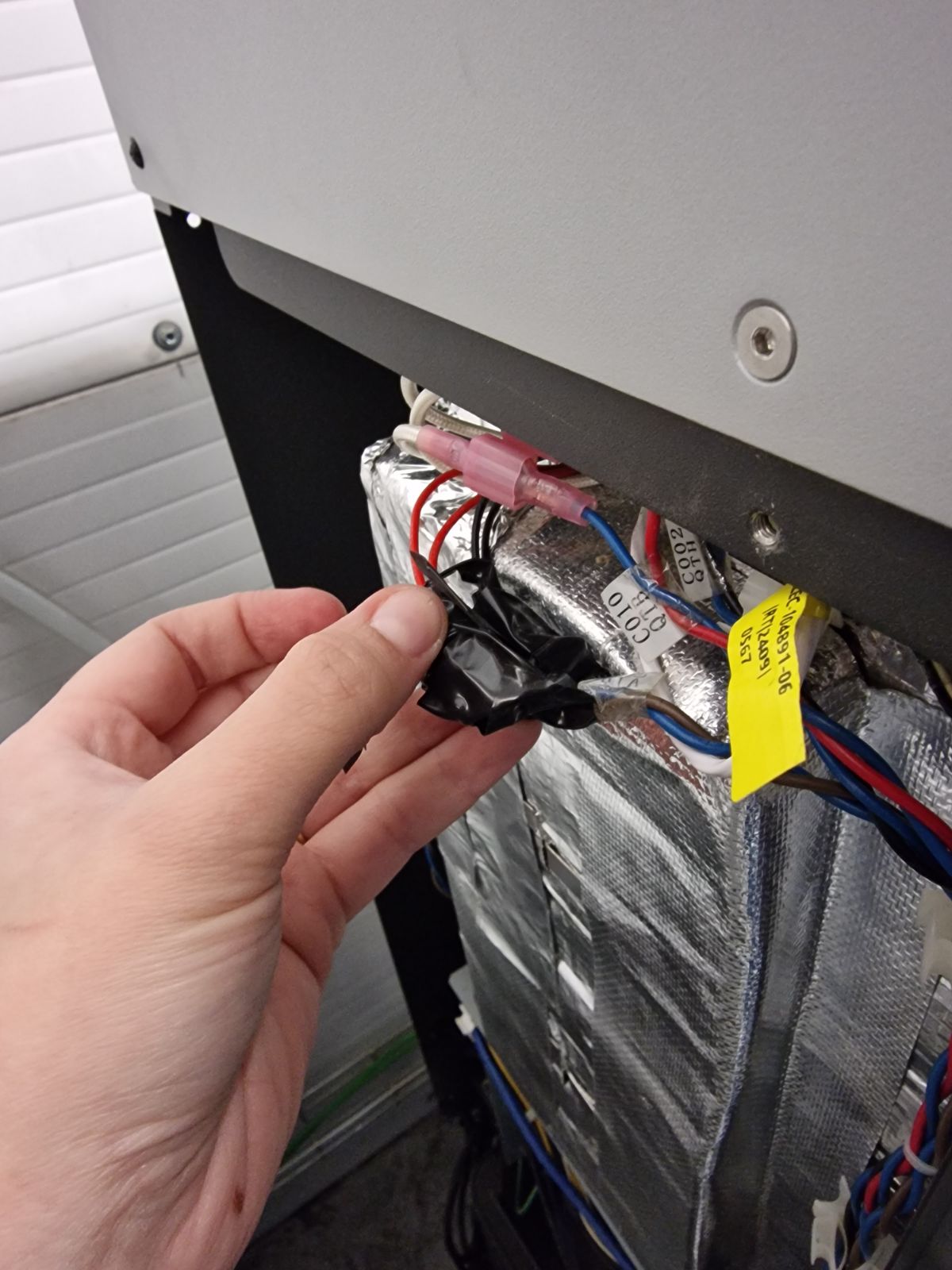


Ehm, that black electrical tape gives me (as a neatfreak) nightmares.
Is the white cable on pic 3 really seated properly? Looks like the metalpart is sticking up a little too much. Could be shade in the pic playing tricks on us tho.
Yesterday I finally got it to do the prime run, I fitted the connector you mentioned better. But it blew all the material again… error 261/3 popped up. I’m waiting for the technician to tell me what else can be done. We’ve been dealing with this problem for a month and a half. Shouldn’t it lower the temperature when it detects that it’s overheating? Often, it only stops printing when a piece of the melted block breaks off and jams the motors.


Ouch. Have you ever adjusted the bed temp? If not, perhaps you need to do a calibration. If you are using Nylon PA12 there is a printfile on Formlabs website that you can use to calibrate the temp. If its Nylon 12 GF then you might need to ask them for it. When i got the testfile it was not official yet. Not sure im allowed to share mine.
We tried that too, but it still melted all the powder. We also tried a temperature calibration print, but it starts melting right from the beginning.
Sounds strange. Replaced quartz tubes recently?
They should not overheat so highly unlikely its what causing your issues.
What refresh rate are you using?
I´ve noticed that when i recycle my powder to much it tends to loose ability to fuse properly and it becomes very crusty.
The quartz tubes were in good condition when we started melting all the material. And the ratio we use of powder for printing tests is 100% new powder because we ran out of recycled powder a long time ago. It melts everything, leaving a block that is impossible to reuse.
Using 100% fresh powder is not ideal. That can cause melting issues and adds difficulty to pinpoint errors. I would suggest aging some powder before you print anything.
Did the problems occur before you started using 100% fresh powder?
On another note, please disconnect your IR-sensor and reconnect it.
If you have a spare replace it. Just in case to rule it out. I´ve had issues with those before that they become degraded for some reason. Don´t remember the symptons that occured due to the sensor as there has been soooo many issues over the years.
We have used 100% powder in the last two tests, but normally we use 30%. The layer fusion problem occurs in both cases.
Alrite i see. Then im stumped. What does Formlabs say about the issues?
We are waiting to find out what the next step is. We contact Formlabs through an intermediary, so it takes longer for the information to reach us. But we have already tried everything. Just yesterday, they changed the bracket where the IR sensor is placed and performed a factory reset, but the machine still does not work properly
But did you disconnect the IR-sensor? And is there any scratches? Anything that affects a clean spotless sensor etc.